AI-Generated Games for Classroom Engagement
You know the moment: you’ve got 3 minutes before the bell, students are half in “scroll mode,” and you need a quick way to (1) focus attention and (2) reinforce yesterday’s lesson without starting a whole new activity.
This is exactly where AI-generated learning games shine—especially when they’re built around what the research says about retrieval practice research (testing effect).
With BrainFusion Games, you can take any lesson—notes, a reading passage, a topic standard, even a slide outline—and turn it into a fast, 2–3 minute game that feels like a break… while quietly doing something powerful: retrieval practice.
This guide walks you through a simple, repeatable process you can use in K–12 or college classrooms—plus ready-to-copy prompt examples and a few best practices that make the games more than “fun trivia.”
Why AI-Generated Games Work (When You Use Them Right)
Teachers don’t need more noise. They need engagement that reinforces learning.
The reason short games can boost participation isn’t magic—it’s design:
- Retrieval practice: Students actively recall information (not just re-read it). (Build this into your routine — practice testing beats rereading)
- Immediate feedback: They find out right away what they know (and what they don’t). (why feedback matters for learning)
- Low-stakes reps: A short game feels safe, so more students try.
- Motivation systems: Points, streaks, and leaderboards can nudge effort (without needing a huge prize). (what gamification research actually shows)
BrainFusion was built around these learning science principles, but the key is how you implement them in your routine—not just which tool you pick. (If you want a quick teacher-friendly overview, here’s a university teaching-center overview of retrieval practice.)
💡 Quick mindset shift
Don’t think of games as “extra.” Think of them as your fastest delivery method for retrieval practice—especially when time is tight.
The 5-Minute Workflow: Turn a Lesson Into a 2–3 Minute Game
Here’s the simple process that works for both K–12 and higher ed.
Step 1) Pick the “micro-goal” (one skill, one concept, one set of terms)
Games work best when they’re focused. Choose one of these:
- 6–10 key vocabulary terms
- 6–10 misconceptions you want to surface
- 8–12 “must-know” facts from a reading
- 6–10 example problems targeting one skill
If you try to review everything, students end up guessing. If you narrow the target, you get clean data and better learning.
Step 2) Paste a small chunk of content (or write a tight prompt)
BrainFusion can generate questions from:
- a paragraph of notes
- a list of learning targets
- a study guide chunk
- a topic + grade level + difficulty
Aim for 8–12 questions if you want a true 2–3 minute play session.
Step 3) Choose your game mode (match the vibe you want)
Use mode choice strategically:
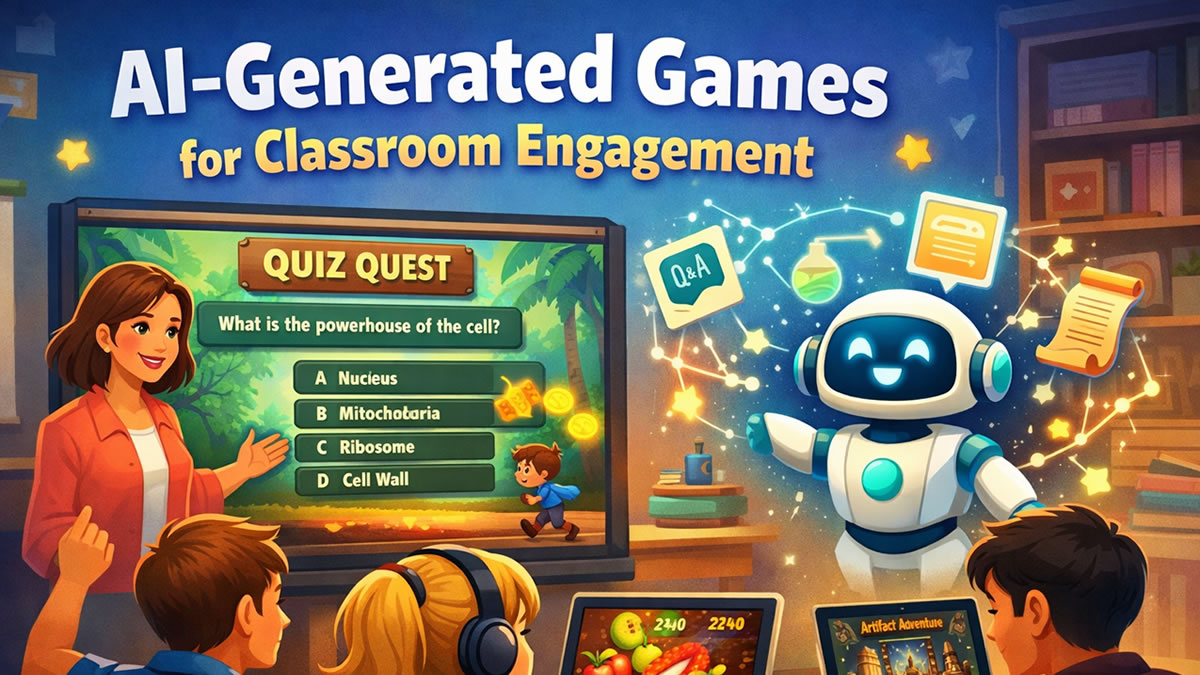
- Quiz Quest → fast "whole-class focus" (great for warm-ups and quick checks)
- Artifact Adventure → exploration feel (great for review days and stations)
- Ninja Fruit Frenzy → high-energy speed + accuracy (great for middle school "wake-up" moments)
- Flashcard Fusion → calmer study reps (great for homework, tutoring, or college exam prep)
- Smart Shot → basketball arcade feel (great for end-of-unit reviews and mid-lesson energy resets)
- Helicopter Hangtime → reflex-based flying game (great for individual practice and study hall)
One of the best parts: you can create once and play in multiple modes, so the same content doesn’t feel repetitive.
Step 4) Launch a session (fast, low friction)
BrainFusion is designed for quick starts:
- students join with a code/QR
- no installs
- no student accounts required (ideal when you want to keep setup painless)
If you’re evaluating any classroom tool, it’s also worth checking basic student privacy best practices for edtech (especially if you work with younger students or strict district policies).
Step 5) Do the 60-second “teach-back” after the game
This step is what turns “fun” into “instruction.”
After the game, pull up the top missed questions and ask:
- “What answer did you pick—and why?”
- “What clue in the question should have helped?”
- “How would you explain this to someone who was absent?”
That minute of reflection is where retention spikes—and it lines up with what we know about feedback and learning.
Ready to try this workflow? Create your first game free — no credit card required.
Copy-and-Paste Prompt Recipes (With Classroom Examples)
If you’re short on time, start with one of these formats. (If you want more “do this on Monday” ideas, this retrieval practice guide for teachers is a great companion.)
Prompt Recipe A: Vocabulary Dash (ELA, science, college intros)
Use when: students need quick reps on terms.
Prompt:
Create 10 multiple-choice questions for [grade level / course]. Topic: [topic].
Focus on vocabulary and definitions. Include 3 “tricky but fair” distractors per question.
Keep questions short and clear.
Example (7th grade science):
Create 10 multiple-choice questions for 7th grade science on photosynthesis vocabulary (chlorophyll, stomata, glucose, carbon dioxide, etc.). Include common misconceptions as distractors.
Prompt Recipe B: Misconception Hunt (math, chemistry, grammar)
Use when: students make the same mistake repeatedly.
Prompt:
Create 8 multiple-choice questions targeting common misconceptions about [skill].
Include one answer choice that reflects the most common student error.
Example (Algebra 1):
Create 8 multiple-choice questions on solving two-step equations. Include distractors that reflect sign errors and incorrect distribution.
Prompt Recipe C: Reading Check (social studies, literature, higher ed)
Use when: you want accountability + comprehension, fast.
Prompt:
From the following text, create 10 comprehension questions:
- 6 literal (key details)
- 4 inferential (why/how)
- Keep questions short; avoid “all of the above.”
Then paste the excerpt.
Prompt Recipe D: College Exam Warm-Up (Psych, Bio, Econ)
Use when: you teach big content areas and students need frequent retrieval.
Prompt:
Create 12 questions for [Course Name]. Mix recall and application.
Difficulty: medium.
Include 4 scenario-based questions.
Example (Intro Psych):
Create 12 questions for Intro to Psychology on classical vs operant conditioning. Include 4 short scenarios where students identify the concept.
How to Make the Game Feel “Quick and Easy” for Students
Even the best tool can flop if the routine feels chaotic. Here are a few moves that keep games smooth:
Keep it short on purpose
Tell students: “This is a 2-minute game. Then we’ll do a 1-minute debrief.”
Students are more willing to focus when the finish line is near.
Use predictable timing
Try one of these “anchors”:
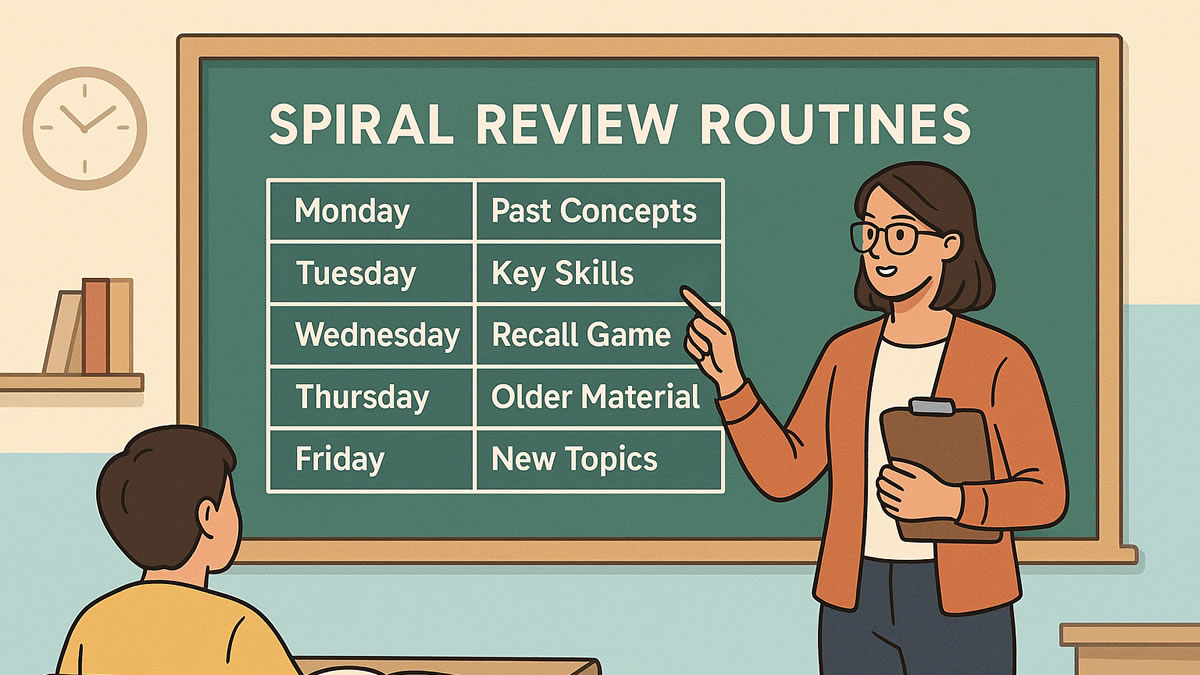
- Monday warm-up game (preview + baseline)
- Wednesday quick check (midweek retrieval)
- Friday mixed review (interleaving + confidence boost — interleaving research for mixed review)
Give students a role
If you run team mode sometimes, assign roles:
- Reader
- Explainer
- Confidence checker (“Are we sure?”)
- Reporter (shares strategy after)
Rotate the mode (novelty without extra prep)
Same content, different mode = students feel like it’s new, but you didn’t rebuild anything.
🎮 Teacher-friendly rule of thumb
If students start saying “not this again,” don’t ditch game-based practice—switch the mode. Keep the learning target; refresh the experience.
What to Do After the Game: Use the Data Without Adding More Work
A fast game is great. A fast game plus a fast next step is even better.
Here’s a “no-extra-planning” loop you can run:
Sort missed questions into two buckets
- Quick fix (students just needed a reminder)
- Reteach (students don’t have the concept yet)
Pick ONE reteach move
- 60-second mini-explanation
- one worked example
- a student teach-back
- a quick sketch/diagram
Replay 3 questions
- replay just the missed concepts (not the whole set)
- students feel the win immediately
This is how you turn engagement into momentum—and momentum into retention.
Common Mistakes to Avoid (So the Game Helps Learning)
⚠️ Watch-outs
These are the most common reasons game-based learning doesn’t “stick.”
- Too many questions (students fatigue; results get noisy)
- No debrief (missed questions don’t become learning)
- Only speed-based play (some students disengage under pressure)
- Same mode every time (novelty fades)
- Questions that test trivia, not targets (fun, but not instructionally useful)
Quick fix: Keep games short, debrief one misconception, and rotate modes.
If you want a research-y sanity check on “games can help learning (when done well),” here’s a helpful meta-analysis: research on serious games and learning.
A Ready-to-Run Example: “Tomorrow’s 10-Minute Engagement Upgrade”
If you want something concrete, try this tomorrow:
Goal: Reinforce today’s lesson in under 10 minutes total.
- Create an 8–10 question BrainFusion game from your lesson summary
- Play for 2–3 minutes (Quiz Quest is perfect)
- Debrief the top 2 missed questions (1–2 minutes)
- Replay 3 questions targeting the misconception (2 minutes)
- Exit line: “If you improved on round two, that’s your brain learning.”
That’s it. No complicated setup. No new unit plan. Just a simple loop you can repeat.
The Bottom Line
Digital-age students don’t need more entertainment—they need practice that feels worth doing.
AI-generated games are one of the fastest ways to:
- capture attention quickly
- get real retrieval practice reps (retrieval practice research (testing effect))
- surface misconceptions early
- reinforce lessons without adding hours of prep
If you’ve been curious but hesitant, start small: one micro-goal, 8–10 questions, 2-minute game, 60-second debrief.
Then repeat.
Try Your First AI-Generated Game
Turn your next lesson into a 2–3 minute game—then use the results to teach smarter tomorrow.