Game-Based Homeschooling: AI Games for Busy Parents
If you’ve ever tried to explain the water cycle while answering work emails… or squeezed math practice into the 20 minutes between errands and dinner… you’re not alone.
Homeschooling can be deeply rewarding—but for busy parent-educators (especially working parents), time is the real curriculum constraint. You’re not short on care or commitment. You’re short on prep minutes.
Here’s the good news: game-based practice can be more than “fun.” When games are built around learning science—especially retrieval practice (practice testing) and spaced repetition—they can boost retention without adding stress.
This post is a practical guide you can use today—plus a “real life” example of turning a history chapter into a quiz adventure while making dinner.
Why game-based learning works so well at home
In a classroom, teachers often use games to boost participation and make review feel lighter. At home, games do something even more important:
They help you teach without doing all the talking.
A well-designed learning game creates:
- retrieval practice (kids actively recall, not just re-read),
- immediate feedback (they fix mistakes while the idea is still fresh),
- low-stakes reps (less stress, more confidence),
- and motivation loops (points, streaks, “one more round!”).
And yes—there’s evidence that well-designed learning games can support both learning and motivation in aggregate research (serious games meta-analysis).
Homeschoolers can use these benefits in shorter bursts—10 minutes here, 12 minutes there—without losing momentum.
💡 Homeschool Pro Tip: Use games as your “independent practice”
Instead of assigning another worksheet, run a 10–15 question game after instruction. You’ll get practice + feedback without extra grading.
The real homeschool hack: “Create once, play many ways”
One reason games can feel “too much” is the fear that you’ll need to build new content constantly.
The smarter approach is:
- Create one question set from your lesson.
- Reuse it across multiple game modes and short sessions.
That variety matters because kids can burn out on the same format—even if the questions are good. Changing the game style keeps the practice fresh while still reinforcing the same learning targets.
A 15-minute workflow: turn a chapter into a game (even on busy days)
Let’s keep this realistic. Here’s a workflow that fits into real life.
Step 1: Choose a “small but meaningful” chunk
Pick one of these:
- a textbook section (1–3 pages),
- a read-aloud chapter summary,
- a science video notes page,
- a vocabulary list,
- a single concept (fractions, parts of speech, state capitals).
You don’t need a full unit. Start small.
Step 2: Paste or describe the content in an AI game creator
In BrainFusion Games, you can generate a playable game from a prompt or pasted text. The goal is speed: lesson → questions → playable game.
Here are copy/paste prompt recipes that work well for homeschool:
Prompt Recipe: Quick comprehension check
Create 12 questions based on the text below for a homeschool student in grade 4.
Mix 8 multiple-choice and 4 short-answer.
Focus on key facts, vocabulary, and cause/effect.
Include 3 “trick” misconception checks.
Text: [paste here]
Prompt Recipe: Vocabulary + examples
Create a vocabulary practice set from the list below.
For each term, include (1) definition, (2) example sentence, and (3) a common confusion.
Grade level: 6th.
Terms: [paste list]
Prompt Recipe: Math skill fluency (with variety)
Create 15 questions for practicing equivalent fractions.
Include: visual reasoning prompts, simplification, and real-world word problems.
Difficulty: mixed (easy/medium).
Grade level: 5th.
Step 3: Pick a short game length (10–15 questions)
Busy-day friendly settings:
- 10 questions for younger learners
- 12–15 questions for middle grades
- 15–20 questions for teens who like competition
Step 4: Play it in “micro-sessions” (spaced practice)
Instead of one long block, play:
- 10 minutes in the morning,
- 8 minutes after lunch,
- 10 minutes before screen time.
You’ll often get better retention from spaced bursts than from one marathon session—this is the classic spacing effect in action.
⚠️ Quick warning: don’t let the game replace the lesson
Games are best for practice and review. If something is brand-new, teach it first (briefly), then use the game to lock it in.
How this saves time for parent-educators (in concrete ways)
1) Less prep, less printing, less “crafting”
Instead of:
- making flashcards,
- searching for review sheets,
- building quizzes manually,
…you generate and reuse a game set. (This aligns with the “high utility” evidence for practice testing + distributed practice.)
2) Your child practices while you do real life
Games are one of the few learning tools that can run smoothly while you:
- help a sibling,
- start dinner,
- finish a work task,
- reset the room.
3) You get clarity without heavy grading
The best game platforms don’t just show a score—they show what your child missed.
That’s powerful because feedback is one of the biggest levers for learning—especially when it’s timely and specific and helps kids close the gap (feedback research overview).
A realistic “dinner-time history chapter” example
Here’s what this can look like in a real home.
Scenario: You’re covering U.S. westward expansion (or any history chapter).
Time available: 15 minutes of prep, 10 minutes of play.
The setup (15 minutes)
Skim the chapter and grab:
- 8 key facts (people, places, dates, outcomes)
- 6 vocabulary words
- 2 cause/effect chains
Paste the section summary into BrainFusion with a prompt like:
Create 14 questions from the text below for a homeschool student in grade 6.
Include: vocabulary, cause/effect, and 2 “which statement is most accurate?” questions.
Add immediate feedback explanations for wrong answers.
Text: [paste]
- Save the game as “Westward Expansion — Set A.”
The play (10 minutes)
While you cook:
- Your child plays a short quiz game (that’s retrieval practice in disguise).
- You listen for frustration or repeated misses.
- You take note of the 2–3 trouble areas.
The follow-up (5 minutes)
When dinner’s plating:
Ask two questions out loud:
- “Tell me the why behind that answer.”
- “What would someone misunderstand here?”
If needed, replay just 5 questions tomorrow (spaced repetition!).
This is simple, low-stress, and surprisingly effective.
Try it free → Create your first game in under 5 minutes.
Building a weekly game plan (so you’re not reinventing the wheel)
If you want game-based homeschooling to actually stick, treat it like a system—not a novelty.
The “3-Game Library” strategy
Each week, create just three reusable games:
This Week’s Learning (new + fresh)
- 10–15 questions from current lessons
Last Week’s Review (spaced repetition)
- 10 questions from last week (quick refresher)
Mixed Review (interleaving)
- a blend of older topics (math facts + vocab + science concepts)
This is the sweet spot:
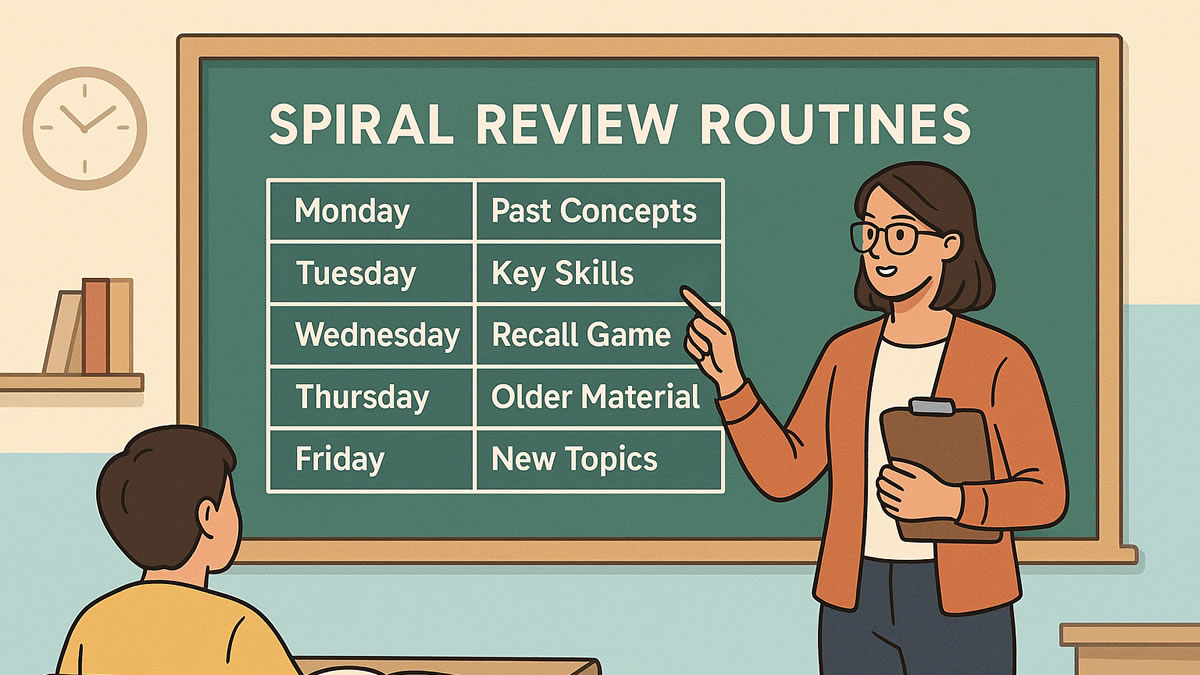
- spaced repetition helps memory last (see our spiral review guide for practical routines),
- interleaving improves flexible thinking and transfer.
💡 Pro Tip: Keep a “Friday Remix” game
Every Friday, play a mixed review game that pulls from the last 3–4 weeks. It feels like a game day, but it’s really a retention engine.
Common pitfalls (and easy fixes)
Pitfall #1: The questions are too hard (and confidence crashes).
✅ Fix: Generate two versions—easy/medium. Start easy, then level up.
Pitfall #2: Kids rush for points and stop thinking.
✅ Fix: Use fewer questions, add short-answer prompts, or choose a mode that rewards accuracy.
Pitfall #3: You play once and never return to the content.
✅ Fix: Schedule two replays:
- next day (quick refresher)
- next week (spaced review)
Pitfall #4: Too much screen time guilt.
✅ Fix: Make it purposeful and bounded:
- 10 minutes, timer on
- followed by a non-screen activity (discussion, drawing, experiment, reading)
If you want a simple framework to reduce friction and guilt, the AAP Family Media Plan is a solid, parent-friendly tool.
Where BrainFusion fits for homeschool families
BrainFusion Games is built for anyone who teaches—including homeschoolers—because it focuses on:
- speed: idea → playable game in minutes
- multiple game modes from one question set
- simple join flow for players (no accounts needed)
- question-level insights so you know what to revisit
Whether you homeschool full-time, hybrid, or “after school plus weekends,” the main win is this:
You can turn the content you already have into practice your kids actually want to do—without adding hours to your week.
Next step: try a 10-minute game this week
Pick one subject your child resists (or one that needs more practice), and run this simple experiment:
- Choose a small chunk of content
- Generate a 10–12 question game
- Play it twice this week (two short bursts)
- Use the misses to guide a 5-minute reteach
That’s it. No massive overhaul required.
Create your first BrainFusion game for free.
Turn your next homeschool lesson into a fun review game in minutes—then reuse it all week.